

Note: This feature is only available on the Prospr Mobile App.
Why this matters
Everyone uses Prospr differently. Some team members check their schedule first thing, while others go straight to messages or approvals. Setting your own default home screen means the app opens exactly where you need it most, saving you a few taps every time you log in.
Mobile App
Open the Prospr Mobile App and tap the “hamburger menu”.
Tap and hold the menu item you want as your default screen (for example, Messages) for a couple of seconds.
A pop-up will appear asking you to confirm.
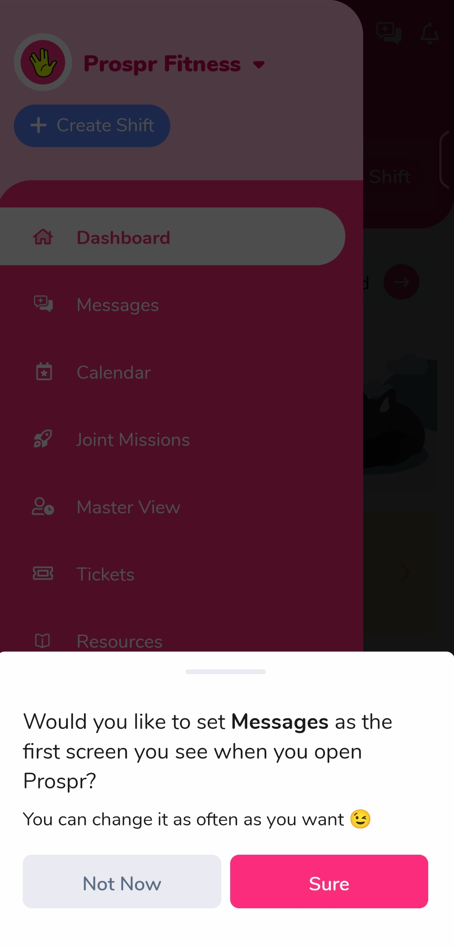
Tap "Sure" to set it.
That's it! The next time you open the app, it will take you straight to your chosen screen.