1) In the Prospr Mobile App, use your menu to head to Messages OR, use the message notification center (the "Envelope" icon top right) to open the custom group chat you wish to delete.
2.) Tap on the custom group chat you wish to delete.
3) Tap on the name of the group, or the three dots in the top right corner then tap “Group Settings”.
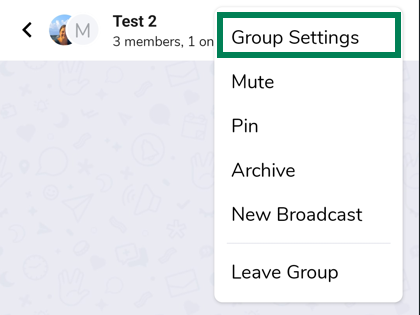
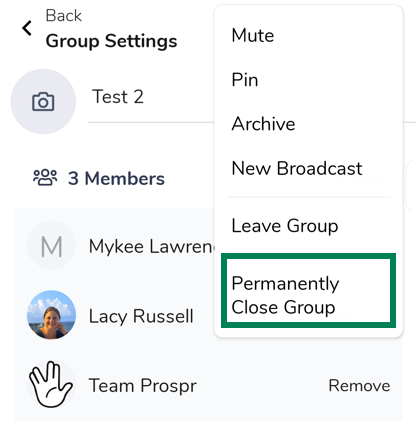
4) Tap the three dots in the top right corner then tap “Permanently Close Group”.
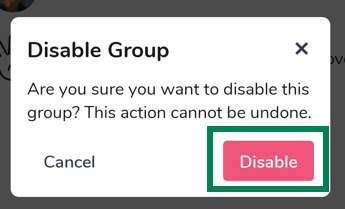
5) Tap “Disable” on the pop-up message.

1) In the Prospr Web App, use your menu to head to "Messages" OR, use the message notification center (the "Envelope" icon top right) to open the custom group chat you wish to delete.
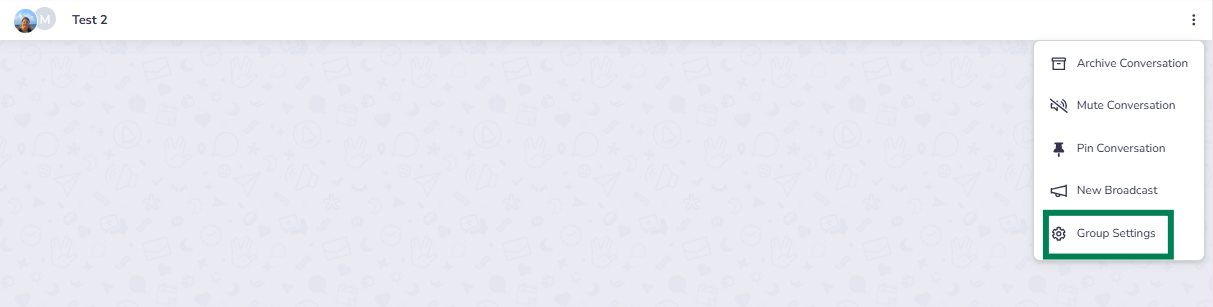
2) Once you are viewing the custom group chat, find the three dots (⋮) icon in the top right corner of your chat window. Click “Group Settings”.
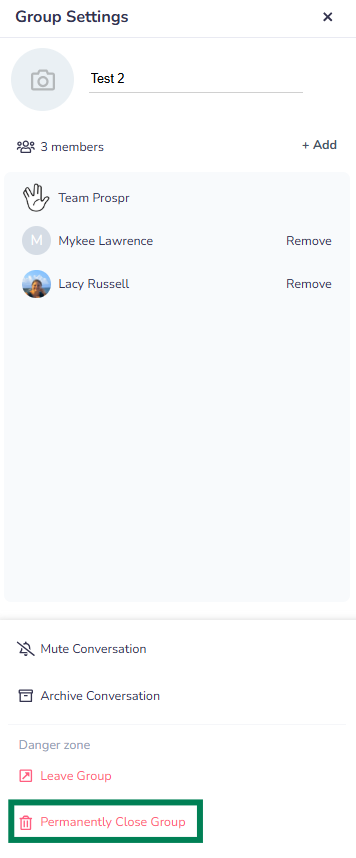
3) A popup menu will appear, click on “Permanently Close Group”.