

Web
1) While viewing Tickets, use the search bar or the Ticket menu options to locate the Ticket you wish to clone.
2) Once you have the correct Ticket pulled up, use the “Clone” button near the title of the Ticket.

3) You will be directed to a “Create New Ticket” page with all of the fields from the original ticket pre-populated. Modify the ticket contents as needed, and don’t forget to hit “Submit”.
Mobile App
1) While in the Tickets sections of your mobile app, use the search bar or the Ticket menu options above to locate the Ticket you wish to clone.
2) Once you can see the Ticket you're searching for, tap the Ticket to open it.
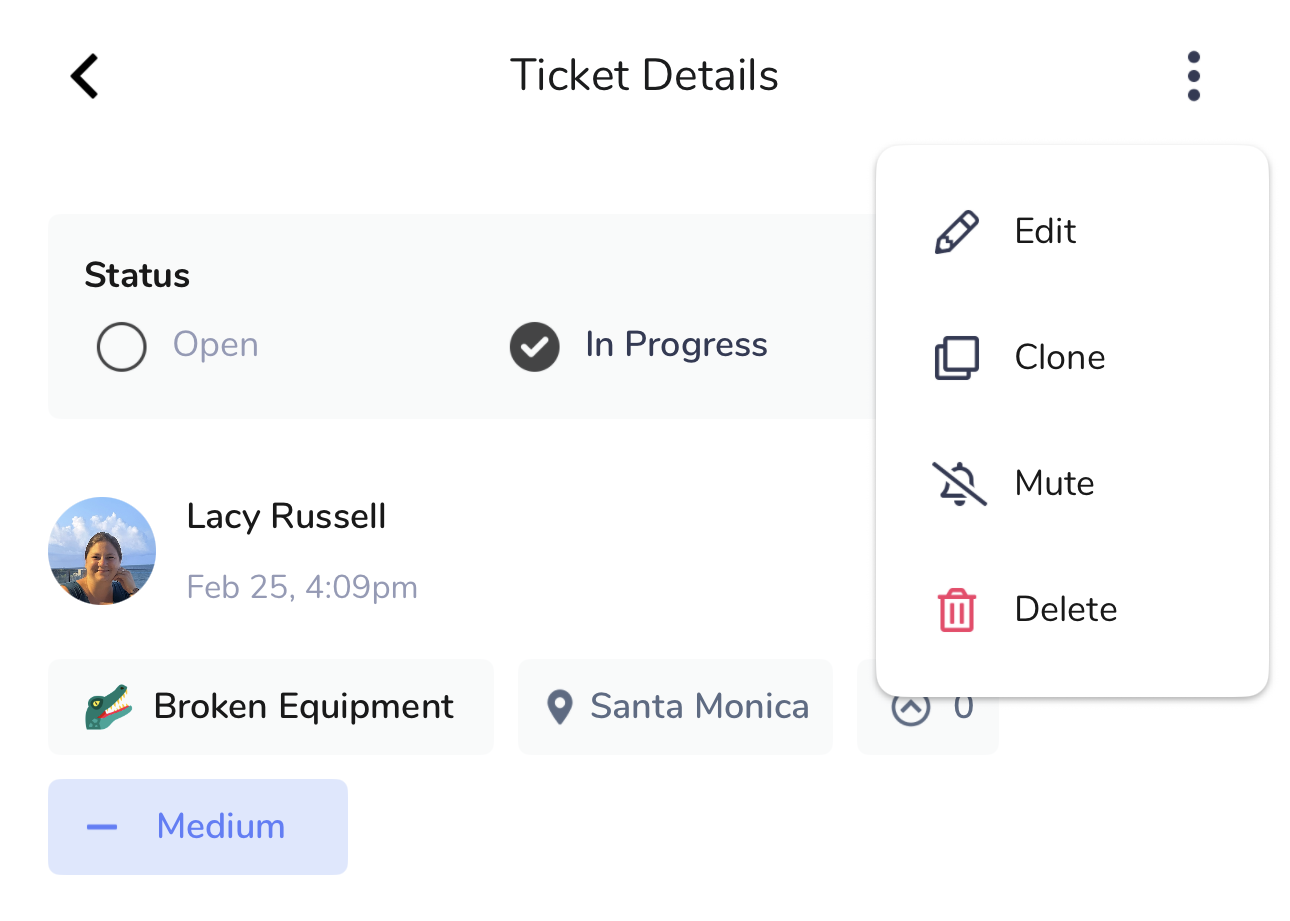
3) While viewing the Ticket, click the three dots in the upper right and then the “Clone” button.
3) You will be directed to a “Create New Ticket” page with all of the fields from the original ticket pre-populated. Modify the ticket contents as needed, and don’t forget to hit “Submit”.